How it works
Three steps, every week. You plan, your athletes log, and everyone sees who's getting faster. For gyms and for coaches with their own team.
Join the waitlist1
Coach
Plan the week
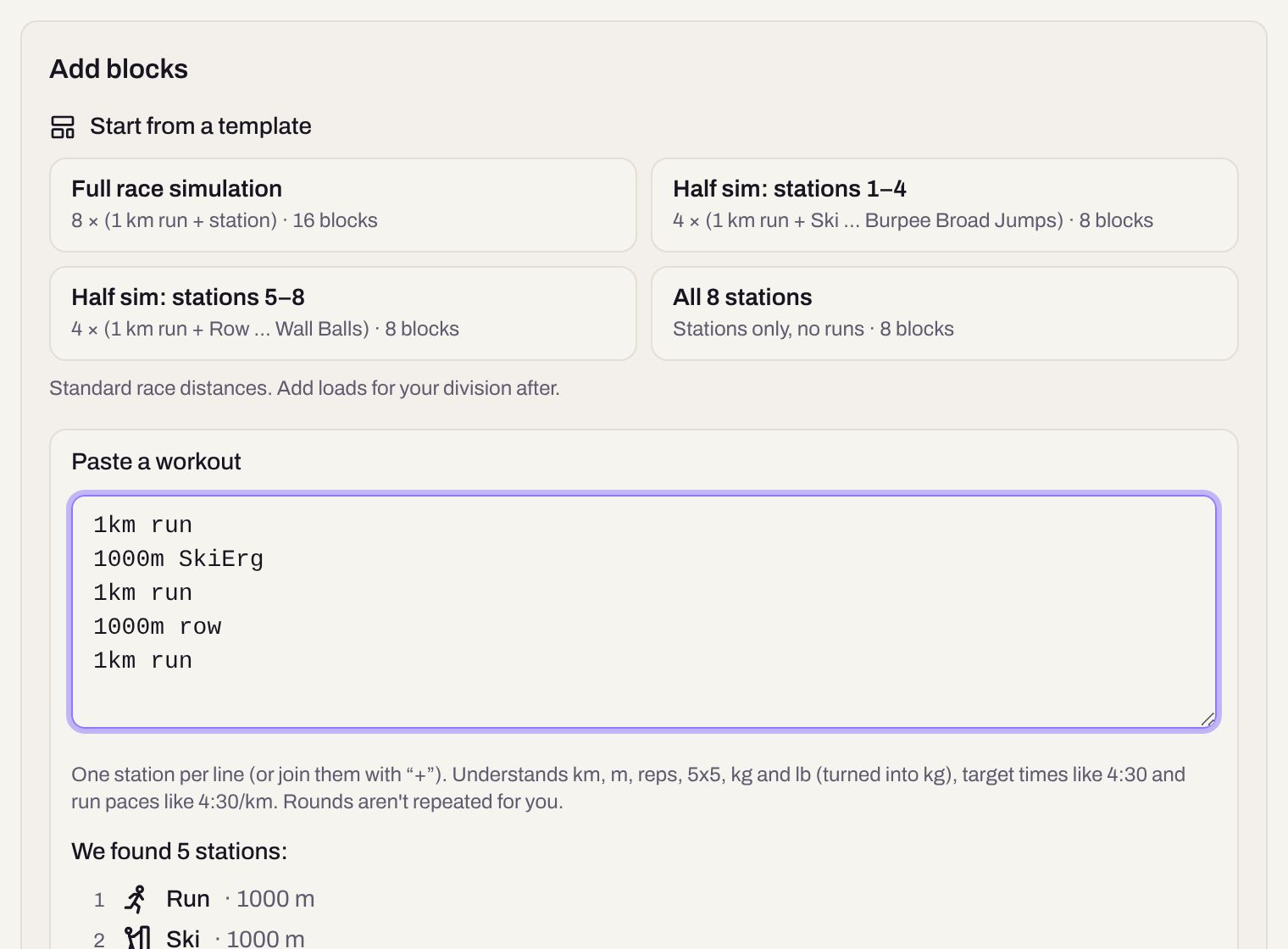
Program the whole week in one screen, then publish. Your athletes see it on their phone right away. No more screenshots in the group chat.
- Paste a workout as text, one station per line: Hizz turns it into stations
- Start from a race simulation template, or copy last week and adjust
- Workouts stay drafts until you publish them
- Mark a test you repeat as a benchmark, so athletes can compare attempts
2
Athlete
Log splits in seconds
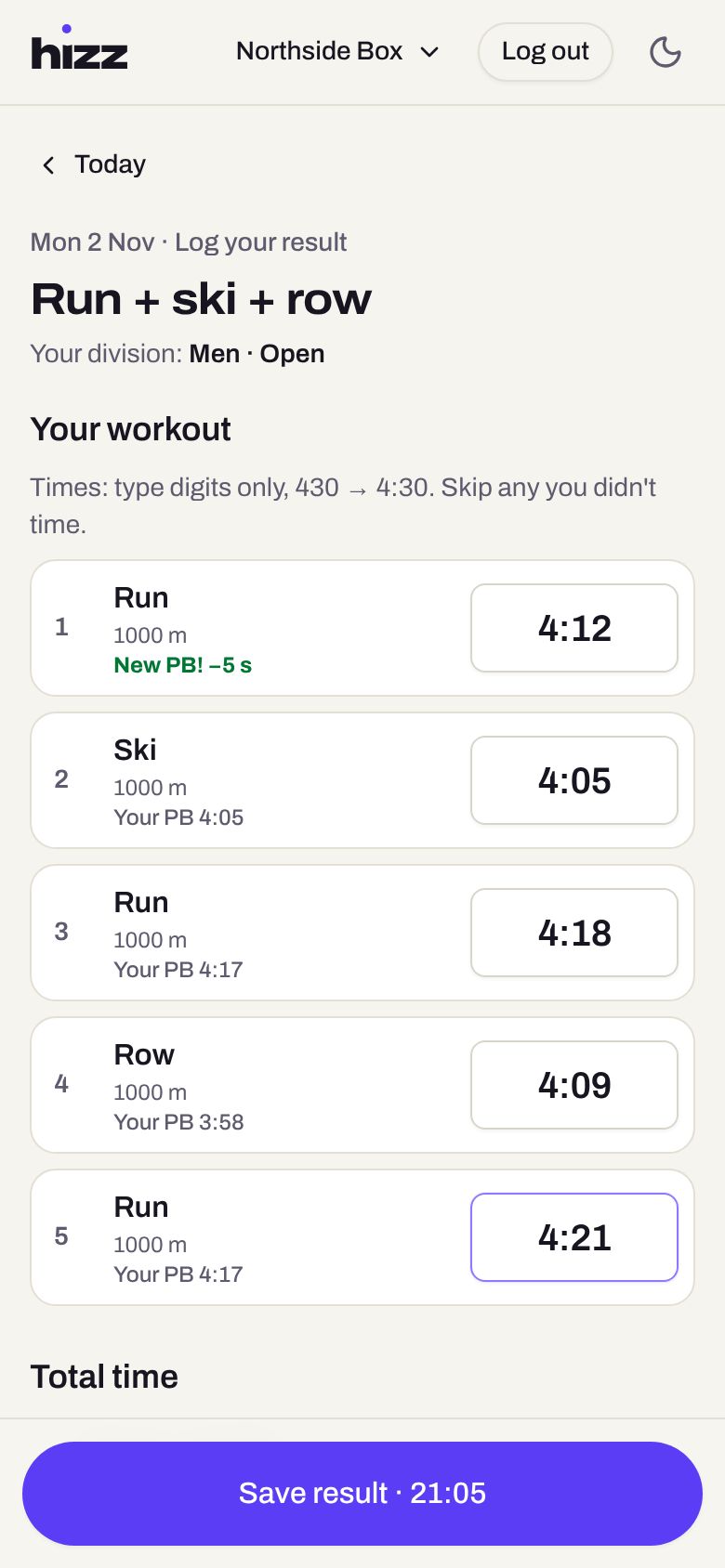
Right after the last station, athletes open today's workout and type their times. Big buttons, a number keypad, nothing extra.
- Digits only: 412 becomes 4:12
- Skip anything you didn't time; strength is reps × kg per set
- A new personal best shows up while you type
- Works in the phone's browser and installs on the home screen
3
Everyone
Watch everyone get faster
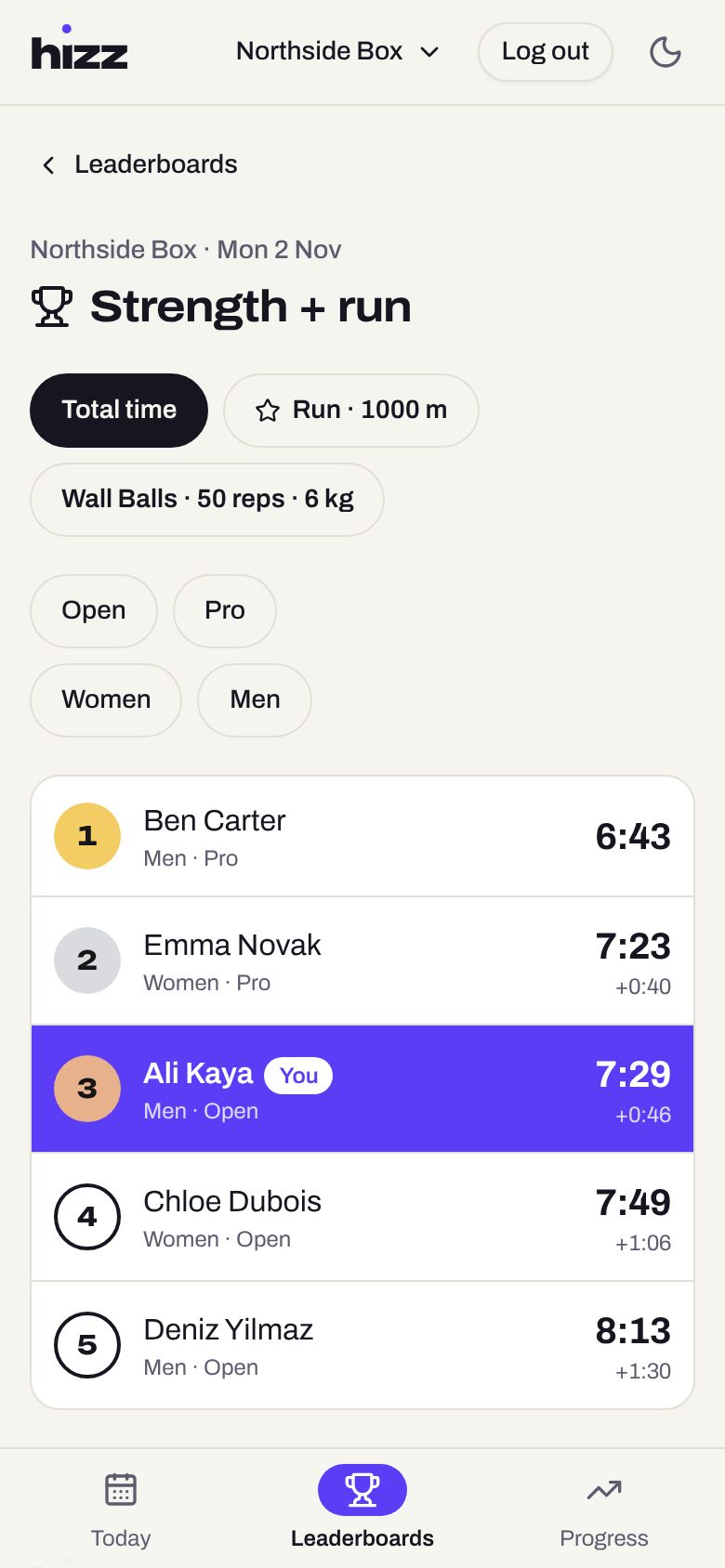
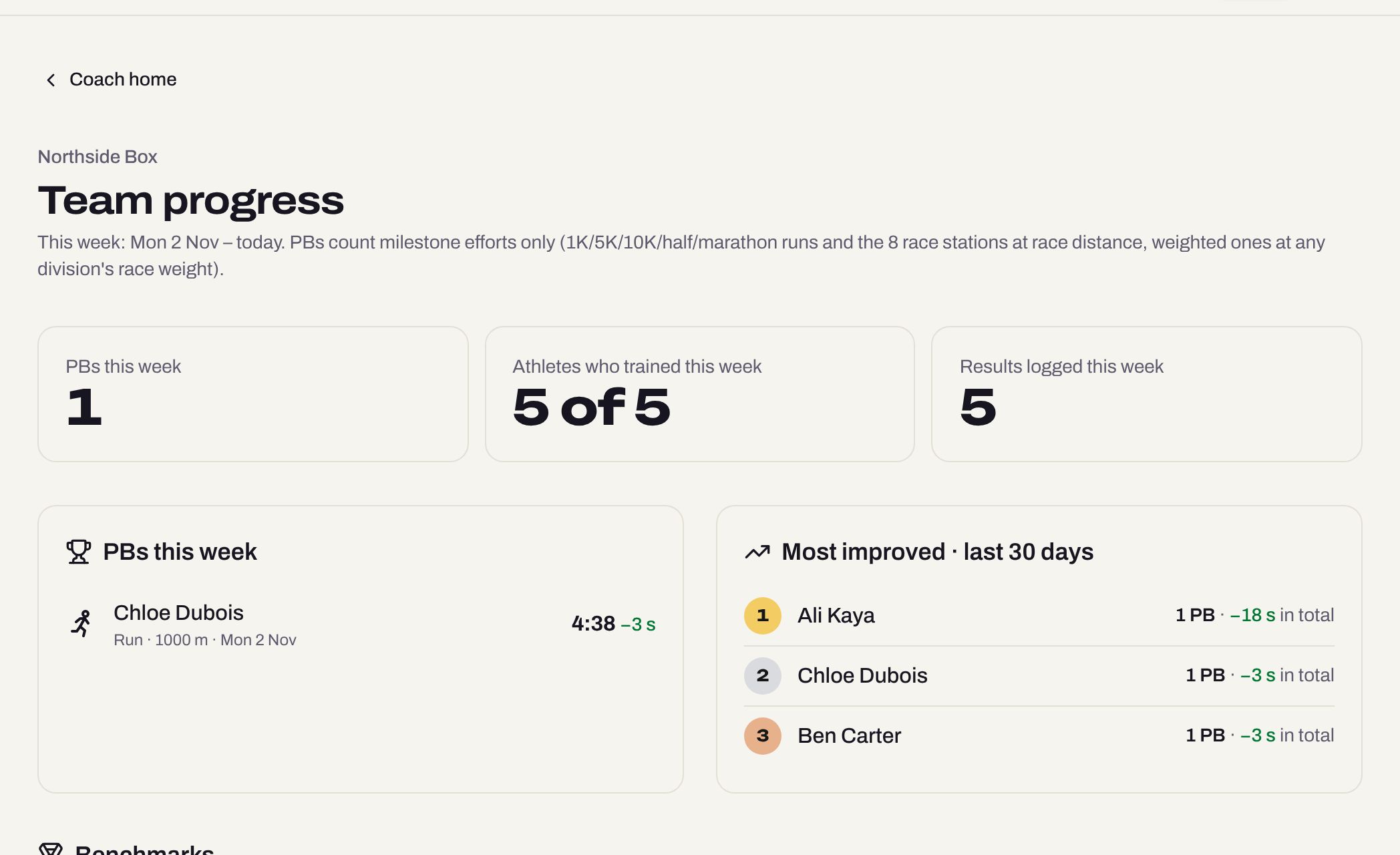
Every result lands on the gym's leaderboard and in each athlete's progress. Coaches see the whole team at a glance.
- Leaderboards for the total and for every part, filtered by division
- Personal bests for race-standard efforts, with a chart over time
- Team progress: this week's PBs, who improved most, who needs a nudge
- Only your gym or team sees its results
Want it for your gym or team?
We're starting with a small group of coaches. Join the waitlist and we'll let you know when it's your turn. Questions first? See the FAQ or the step-by-step Help.
Join the waitlist